Reference Manager for macOS

Your literature,

beautifully managed.

Lightweight, native, and built around your workflow. Lattice handles the metadata so you can focus on the research.
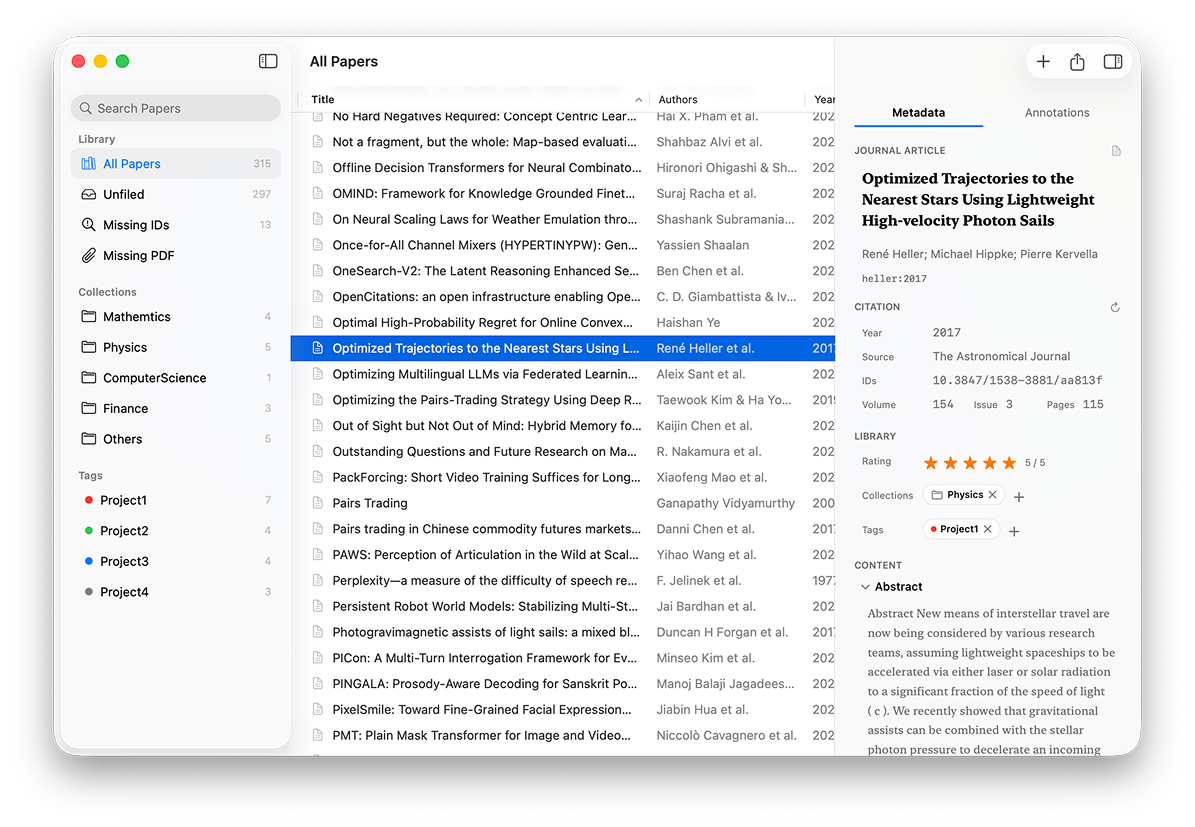
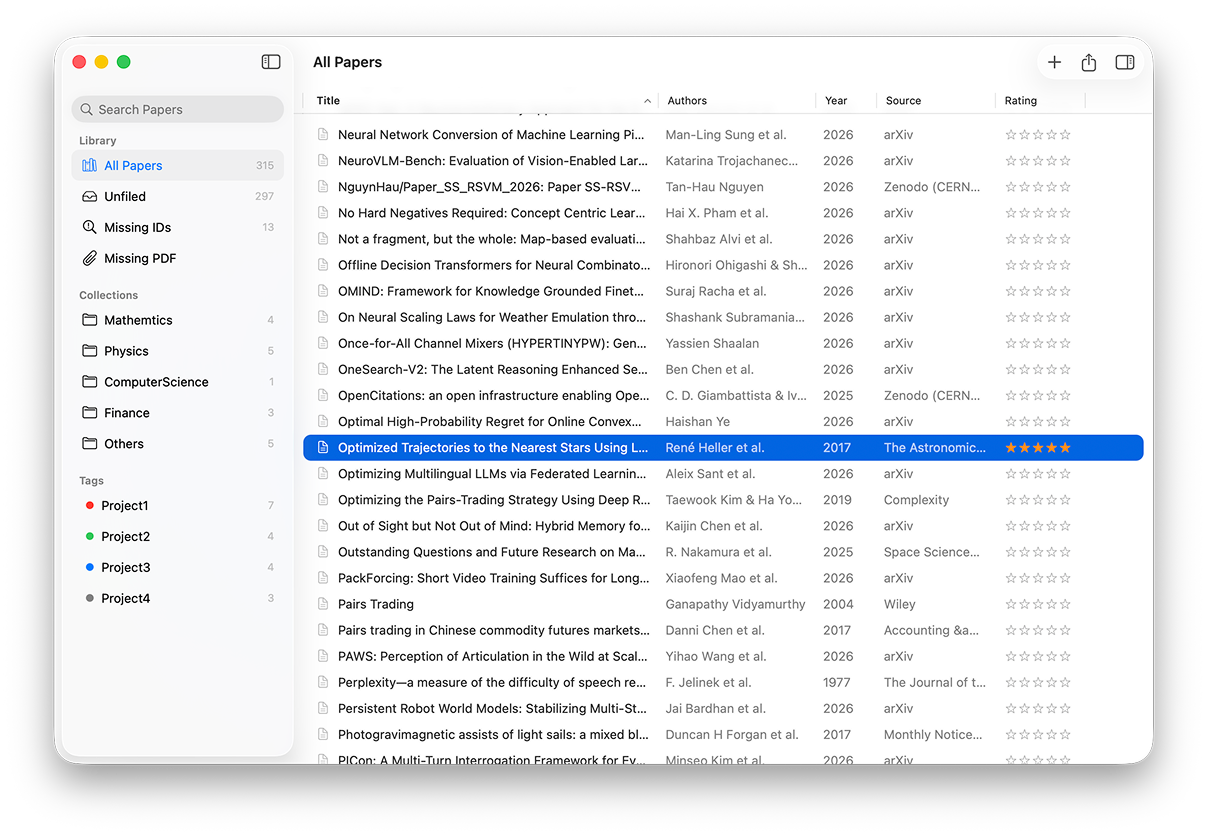
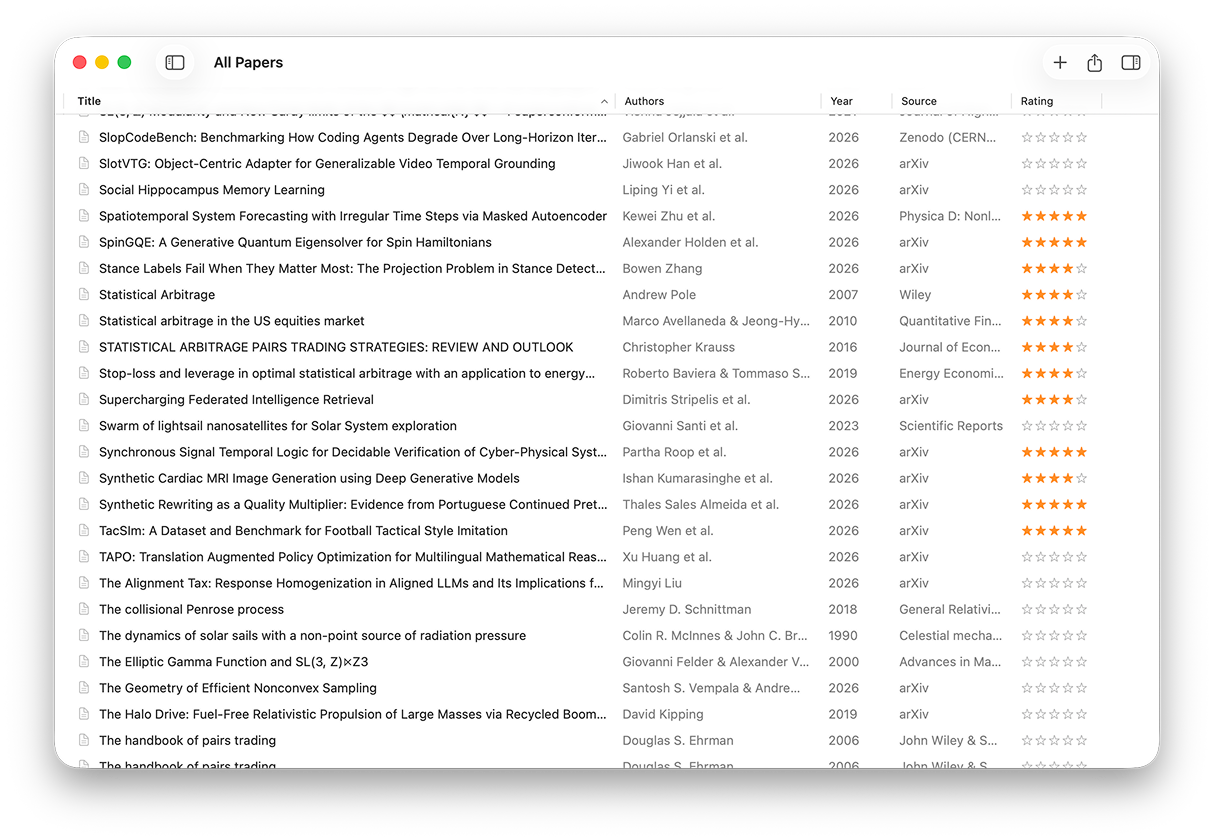
Lattice reference manager — main interface showing three-column layout with library, paper list, and metadata panel
The Lattice Difference

Built to get out
of your way.

Most reference managers want to own your workflow. Lattice is designed to fit into it.

Native macOS, first

Written in Swift. Native windows, sidebars, tables, Quick Look, and Shortcuts integration — exactly as macOS was designed. Not a web wrapper.

Lightweight by design

Under 20 MB. Under 100 MB of RAM. Lattice links to your PDFs — never duplicates them. Your files stay exactly where you keep them.

Open, always

Markdown export. BibTeX import and export. TextBundle. Apple Shortcuts. Clipboard. Your research stays portable — always in formats you own.

Progressive Simplicity

Simple.
Then simpler.

A layout that gracefully adapts to your need for focus. Start with a clean three-column overview, then effortlessly fold away the interface layer by layer. From full control to zero distractions.

Three columns: A clear overview of your collections, lists, and metadata.

Two columns: Fold the sidebar away to cleanly browse your literature.

One column: Hide the inspector for a pure, minimalist reading workspace.

Lattice library — three-column view with metadata inspector Lattice library — paper list with ratings Lattice library — all papers view
Smart Import

Metadata,
handled.

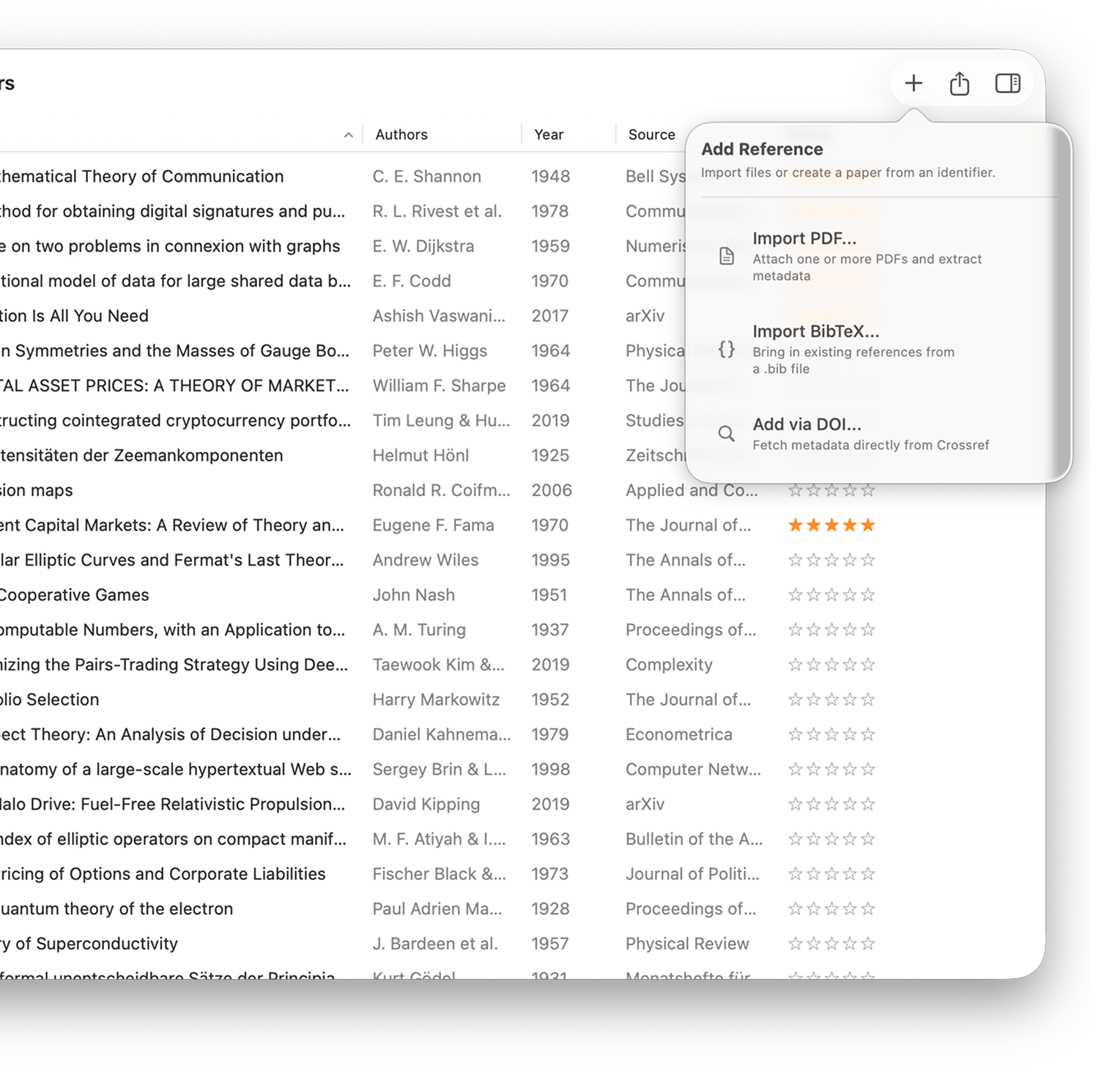
Drop in a PDF, enter a DOI, or import BibTeX/RIS. Lattice extracts what it can from the file and fetches the rest — title, authors, year, abstract, journal, and more.

PDF drag-and-drop with automatic DOI and arXiv identifier detection

DOI lookup against multiple academic metadata services simultaneously

BibTeX and RIS import for seamless migration from existing libraries

Smart metadata import in Lattice — auto-fetch from PDF, DOI, and BibTeX
PDF Annotations

Your highlights,
structured.

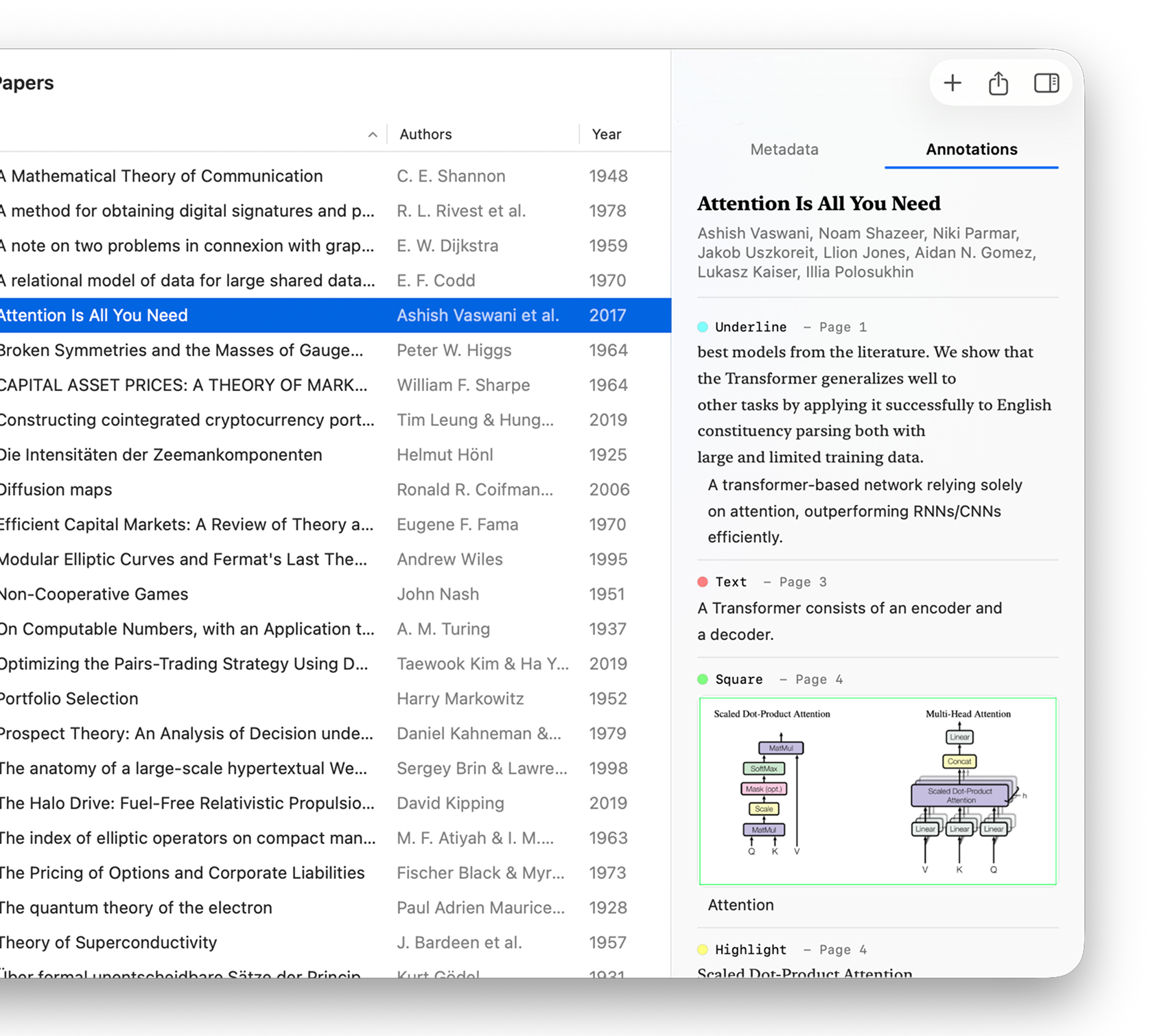
Lattice reads annotations directly from your PDF — highlights, underlines, notes, and region snapshots — and turns them into organised, exportable data.

Extracts highlights, underlines, strikethroughs, free text, and shape annotations

Captures selected text, comments, page number, and color for each annotation

Box and circle regions export as cropped images, preserving figures and tables

PDF annotation extraction in Lattice — highlights and notes shown in the inspector panel
Apple Shortcuts

One shortcut
to your notes.

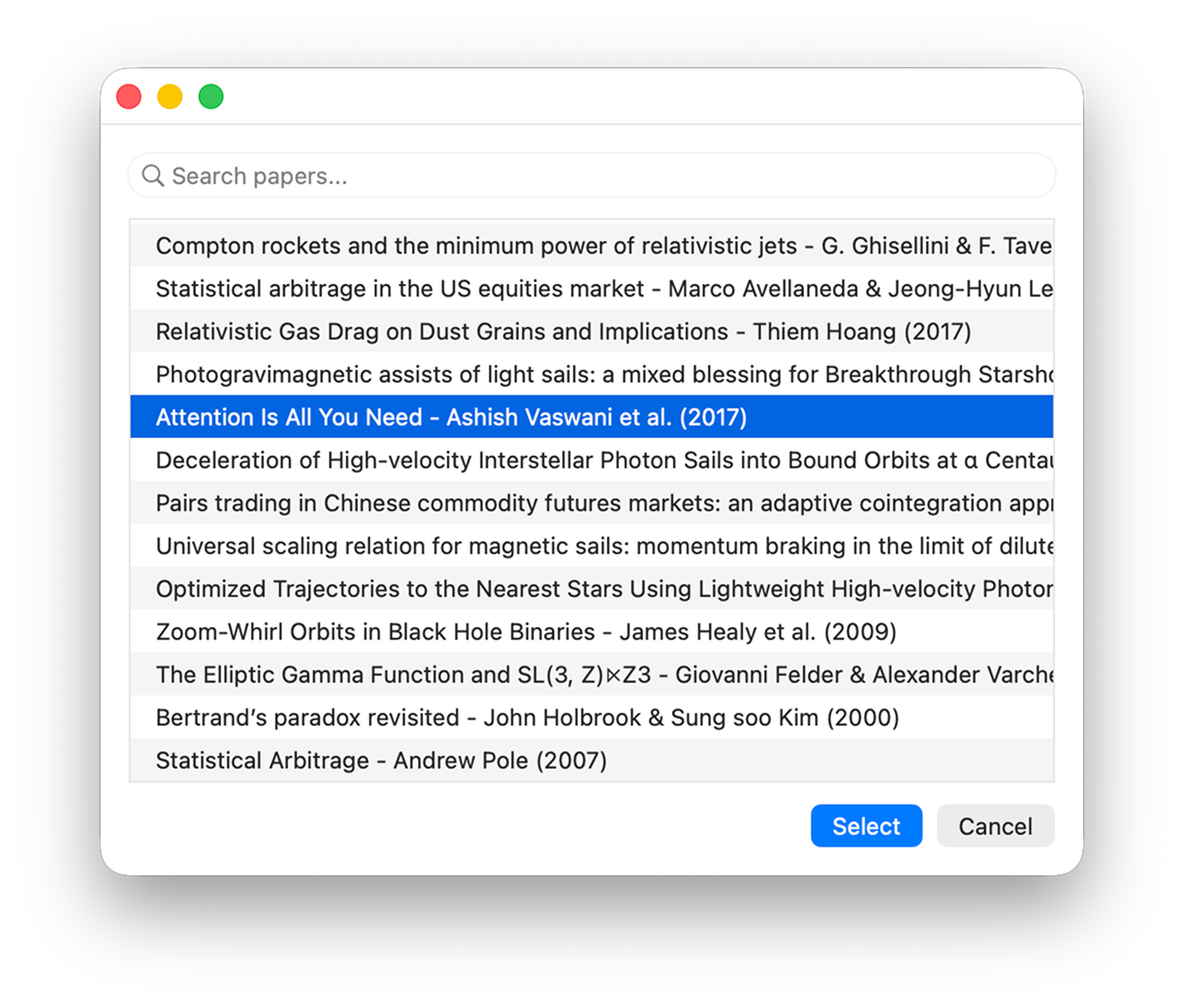
Select a paper, trigger a Shortcut. Lattice renders your metadata and annotations using your own template and places the result directly into Obsidian, Bear, Notion — or anywhere else.

Pick any paper from your Lattice library inside any Shortcut

Returns formatted Markdown using your fully customisable template

Include annotations, metadata, and abstract — all in one pass

Apple Shortcuts integration in Lattice — one-click export to any notes app
<20
MB — app size on disk,
intentionally tiny
<100
MB — typical memory
footprint during use
14+
macOS Sonoma or later,
built for modern Mac
Free Tier
First 50 papers on us,
free full Zotero migration
Available Now

Take control of
your research.

Free on the Mac App Store. Or join the TestFlight beta for early access to upcoming features.