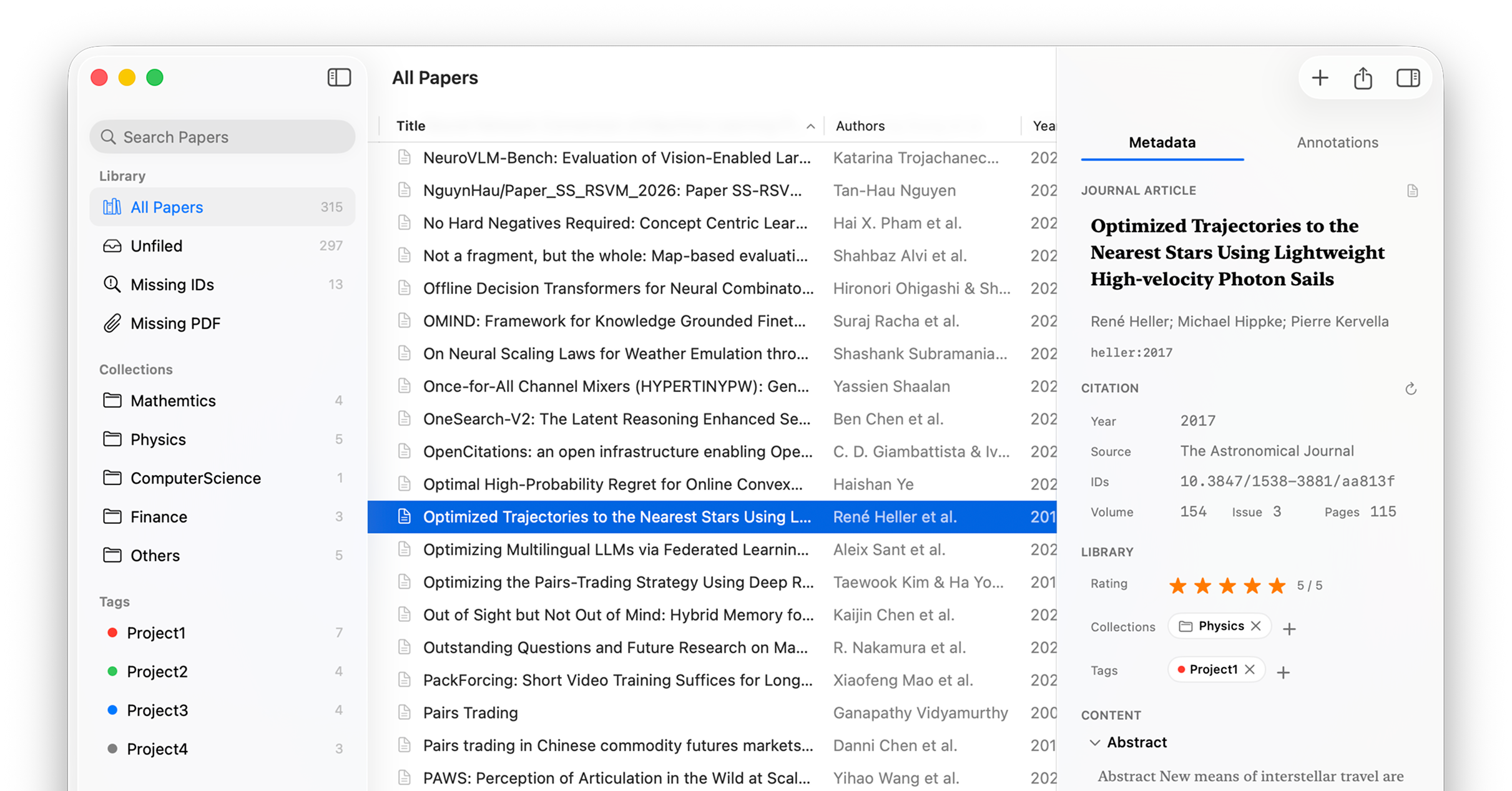
Lattice is deliberately focused. Each feature exists because it solves a real problem in managing and using a research library.
A three-column layout built for clarity. Browse your full library, filter by collection or tag, and inspect any paper — all without leaving a single window.
Collections — structured groups: "Machine Learning", "To Read", "Writing"
Tags — cross-cutting labels with colors: "empirical", "important", "idea"
Smart views — Unfiled, Missing DOI, Missing Attachment — catch gaps instantly
Search by title, author, source, or year — sort and resize columns
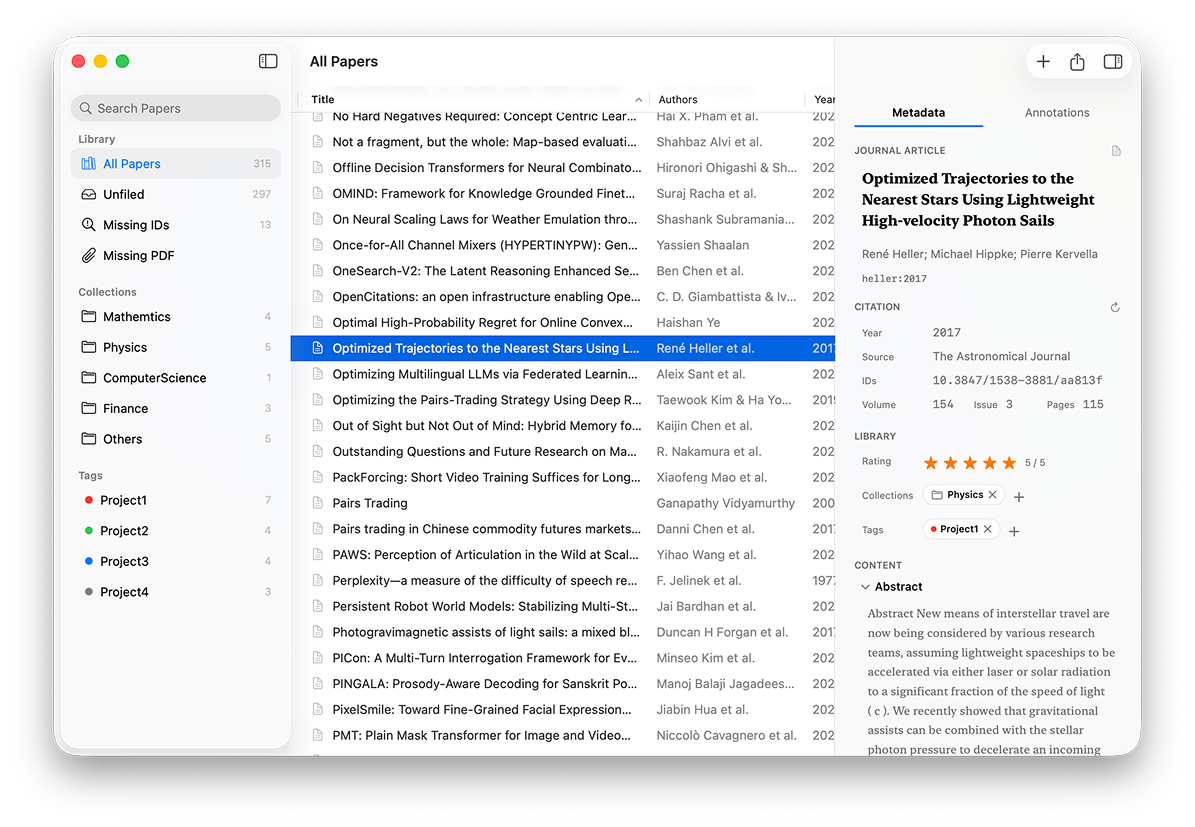
Lattice links to your PDFs without copying them into a hidden library. Your files stay in Finder, exactly where you put them — and Lattice can help you keep them organised automatically.
PDFs stay in their original location — no hidden duplication, no storage bloat
Auto-organise on disk — sort into subfolders by year, collection, or both
Open PDF, reveal in Finder, or replace the linked file at any time
Press Space to preview with native macOS Quick Look
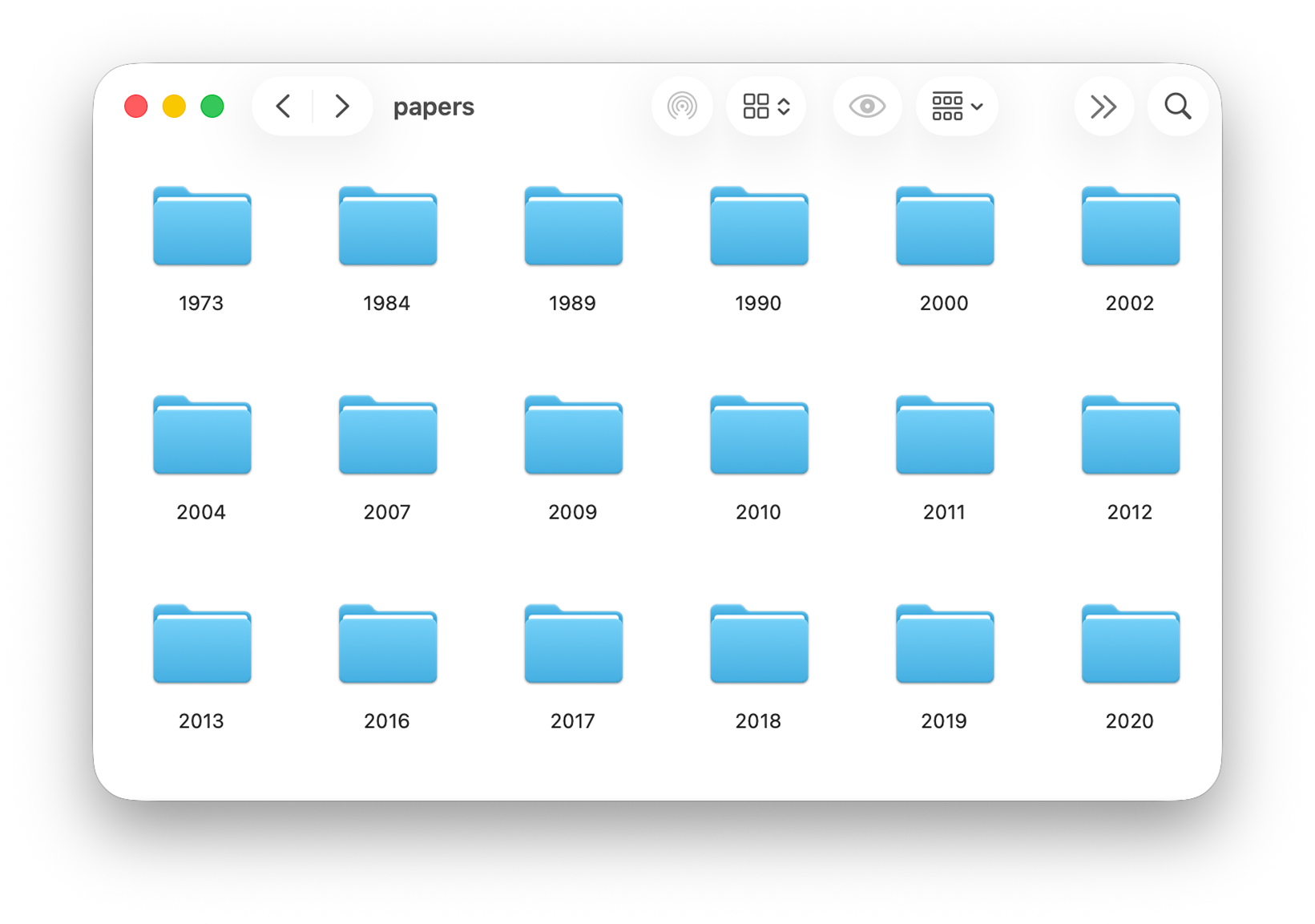
Read and annotate in any PDF app you prefer. When you return to Lattice, it reads the annotations directly from the file and turns them into structured, exportable data.
Highlight, Underline, Strikethrough, Text, Free Text, Square, Circle
Each annotation retains type, page, selected text, comment, and color
Square and circle regions render as cropped images — perfect for figures and tables
Annotations update automatically when the PDF changes on disk
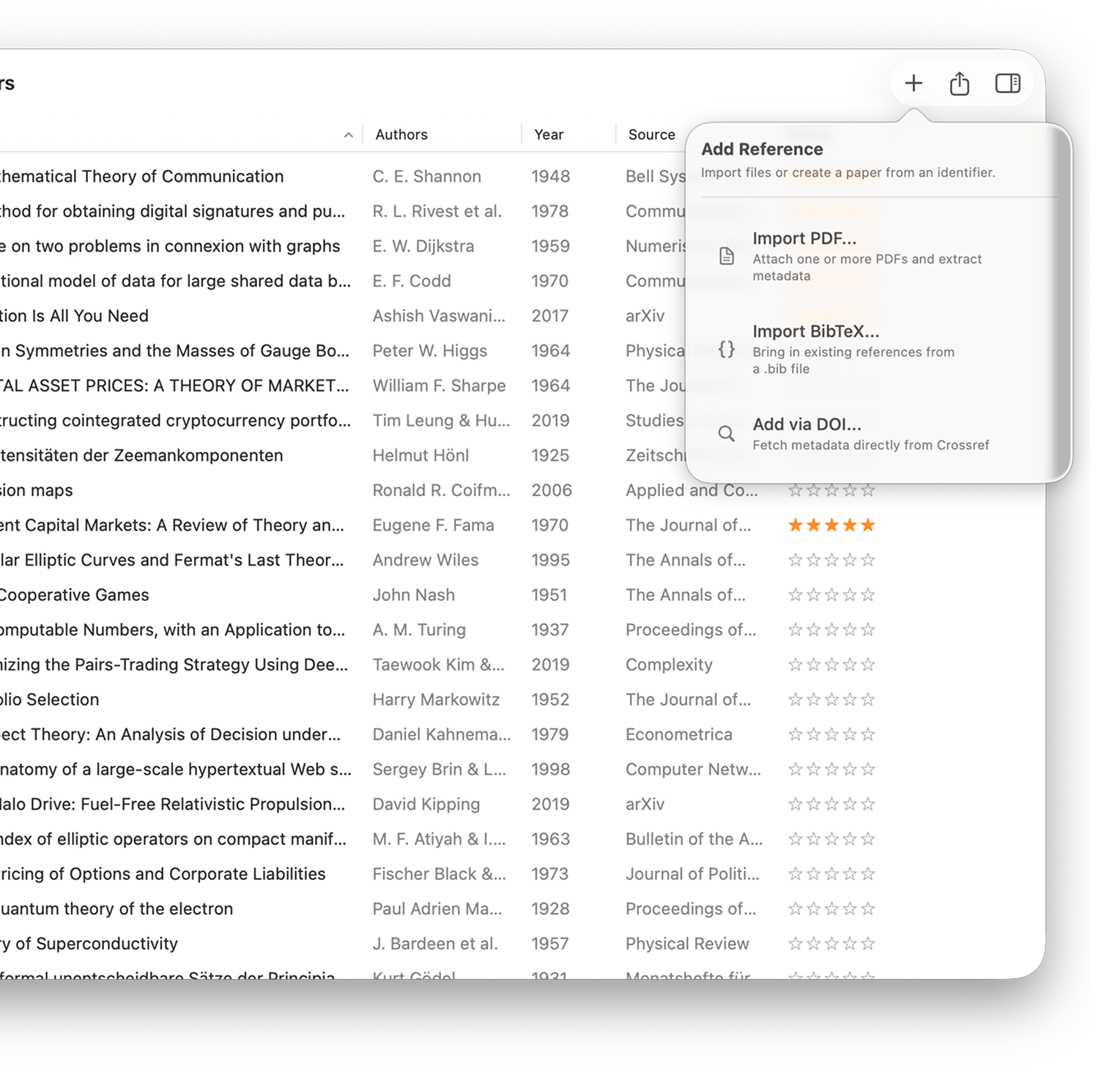
Three ways to bring a paper in — and Lattice fills in the rest automatically from the file and from academic databases.
PDF import — drag one or many; Lattice extracts title, authors, and DOI from the file itself
DOI import — enter a DOI and fetch a complete paper record
BibTeX import — migrate from an existing library in seconds
Fills title, authors, year, journal, abstract, volume, issue, pages, and citekey
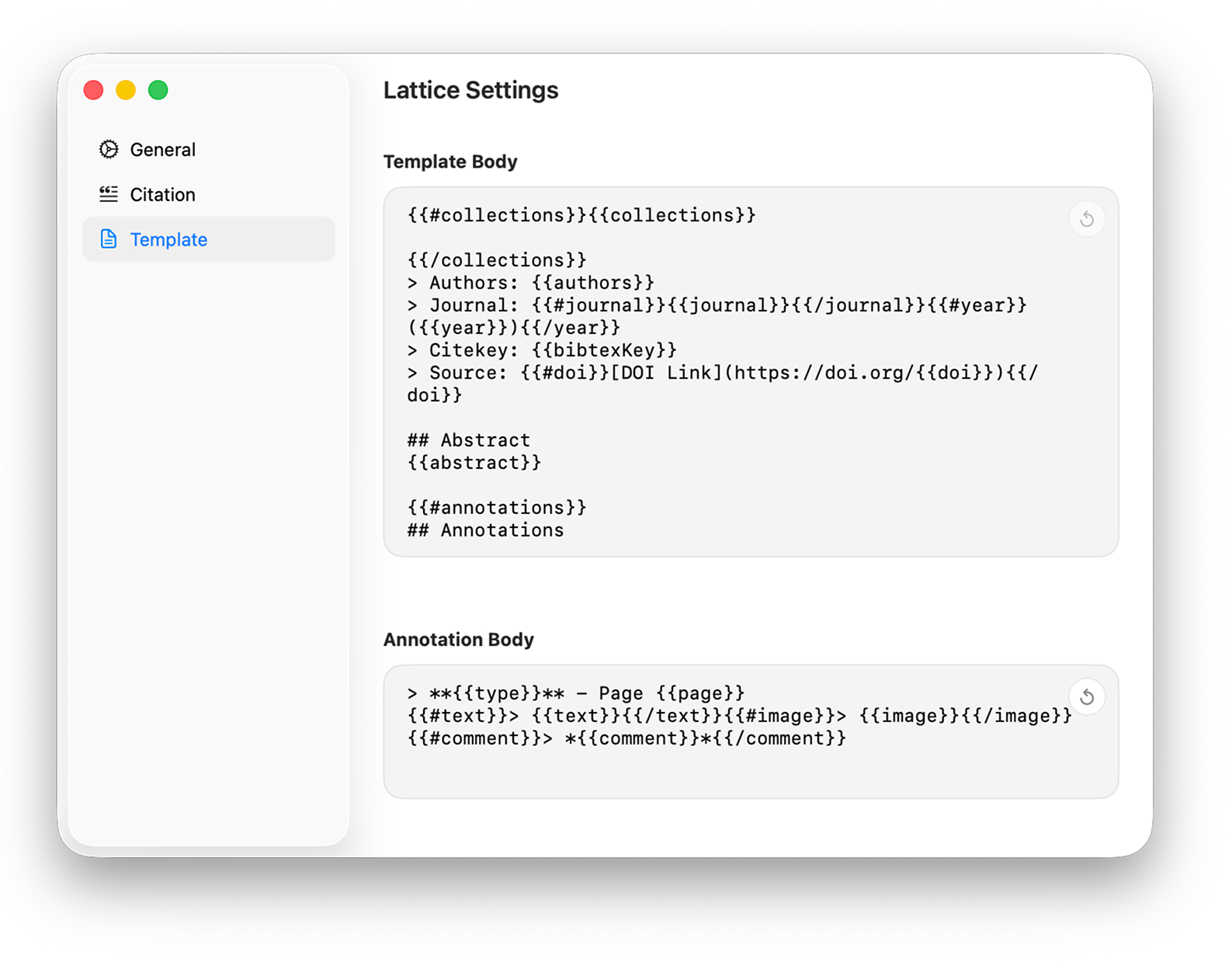
Customise two separate templates — one for metadata, one for annotations — and export to Markdown or TextBundle in the exact format your writing workflow expects.
Simple {{variable}} syntax with conditional blocks
Exports to .md for plain Markdown or .textbundle to carry annotation images
BibTeX export with configurable citekey formats and field-level control
Batch export multiple papers in one action
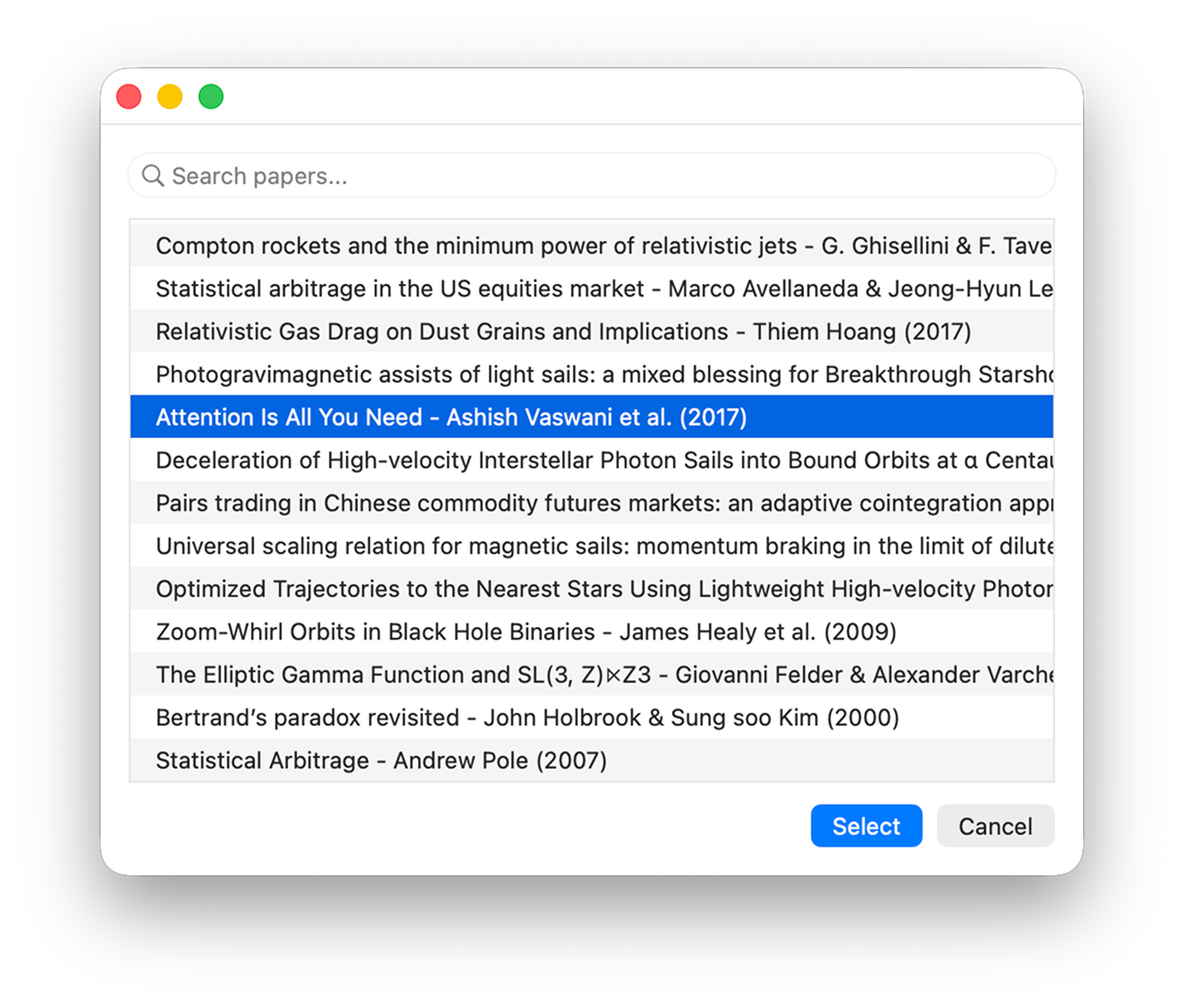
Lattice integrates natively with Apple Shortcuts — select a paper, run your Shortcut, and the formatted note lands in any app that can receive text.
Choose a paper directly from the Lattice library within any Shortcut
Renders metadata and annotations using your custom template
Works with Obsidian, Bear, Notion, Craft, and any clipboard-based workflow
Lattice does not replace your notes app — it connects your library to it
Import and export BibTeX with customisable citekey patterns — {auth}{year}, {Auth}{year}, and more. Full field-level control for LaTeX and Pandoc workflows.
Lattice exposes a local port for external plugin connectivity — enabling browser extensions and other tools to communicate directly with your library for one-click import from the web.
Rate papers with stars and add freeform notes directly in the inspector. Useful for quick priority sorting and keeping reading thoughts attached to the right paper.
Search by title, author, source, or year across your full library. Keyboard controls throughout: Enter opens, Space previews, Delete removes.
Multi-select papers for batch metadata refresh, batch export, batch assignment to collections and tags, and context-menu actions — manage dozens of papers in a single step.
Deliberately. Use the professional PDF reader you already trust. Lattice stays focused on metadata and annotations — cooperating with your tools rather than replacing them.
Free on the Mac App Store. Built for macOS Sonoma and later.