Lattice is not a closed ecosystem. It is a precision layer between your PDFs and your writing — lightweight enough to fit into any research setup.
Import a paper, read and annotate in your PDF app, return to Lattice to extract your highlights, and export a structured Markdown note — complete with figure images.
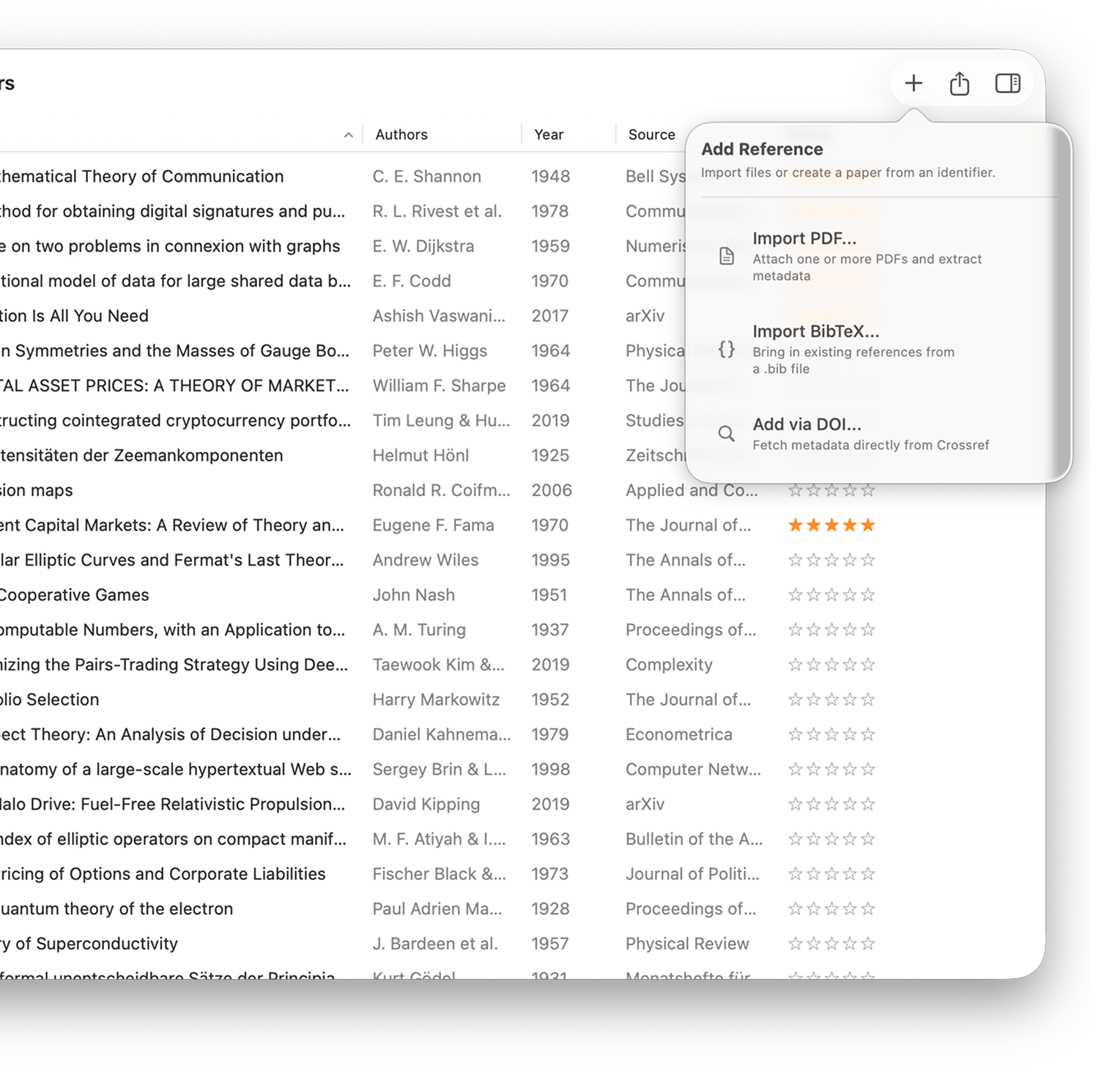
Enter a DOI, auto-fill a complete metadata record, add tags and notes, then trigger a Shortcut to push a formatted citation card directly into Obsidian, Bear, or any notes app.
Read anywhere. Annotate however you like. Let Lattice turn those highlights into an exportable, searchable record.
Drag a PDF from Finder, use the file picker, or enter a DOI to fetch the paper first and attach the file later. Lattice immediately scans the document for DOI and arXiv identifiers, then queries academic databases to fill in title, authors, year, abstract, and journal.
Duplicate detection — Skip, Replace, or apply to all in a batch
Drag multiple PDFs in at once for batch import
Open the linked PDF in whatever reader you already use — PDF Expert, Skim, Apple Preview, or anything else. Lattice does not bundle a PDF reader. That is intentional. Your reading habits stay yours.
Press Space in Lattice for Quick Look without opening the reader
Press Enter to open directly in your default PDF app
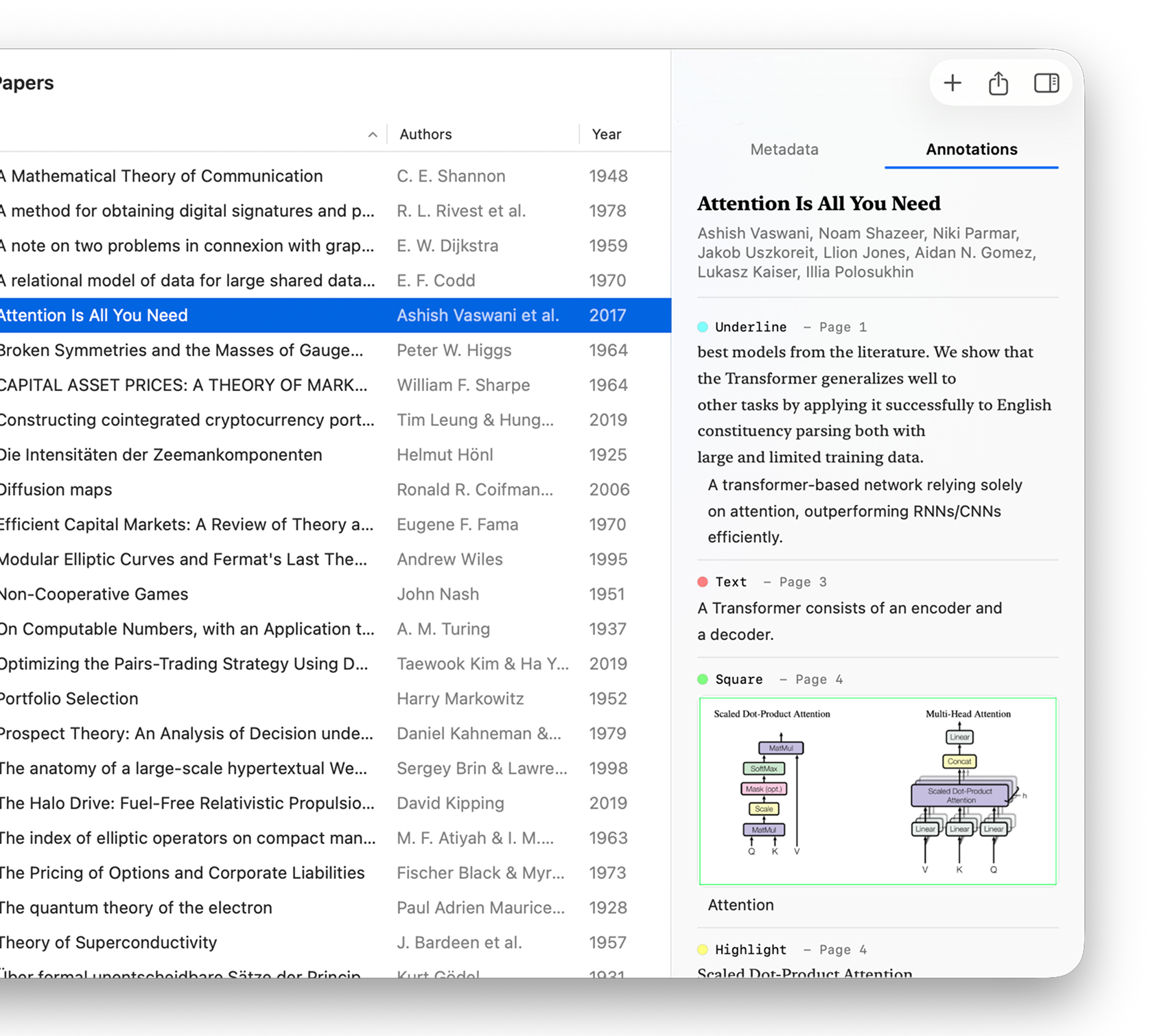
Return to Lattice. Your annotations are already there — extracted from the PDF and displayed in the Annotations tab of the inspector. Highlights, underlines, text notes, and for box or circle annotations, a cropped image of the marked region.
Extraction happens automatically when you open or preview the PDF
Region images — figures, tables, diagrams — travel with the export
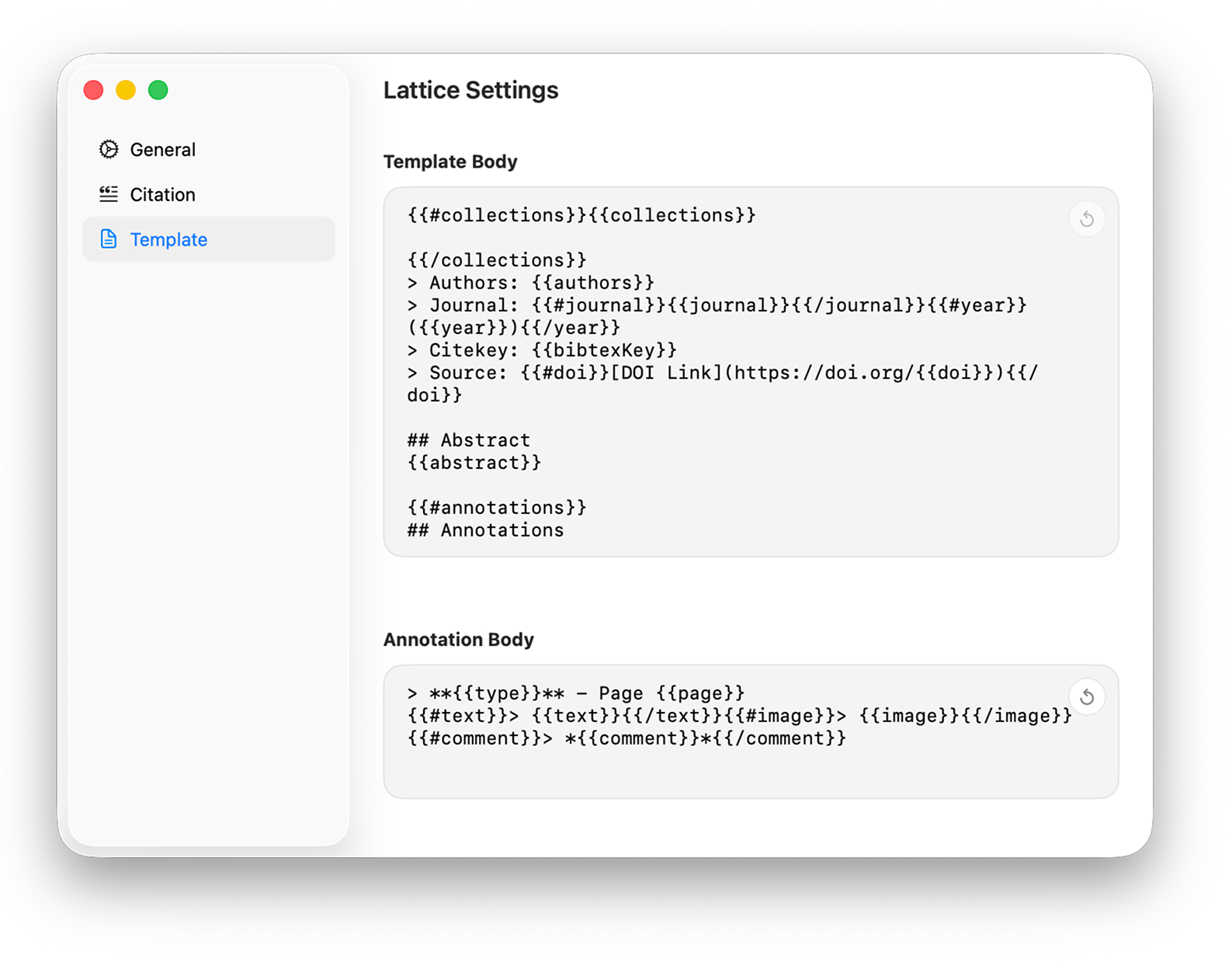
Export using your custom template. Lattice writes a .md file when you only need text, or a .textbundle when annotation images should travel alongside the note. Drop the result into Obsidian, Bear, Craft, or any Markdown-based tool.
Customise the template once — every export follows it
TextBundle keeps images inside a self-contained package
Batch-export multiple papers in a single action
The metadata-first path — add papers by DOI, build your record, then push a formatted citation card to any notes app with one Shortcut.
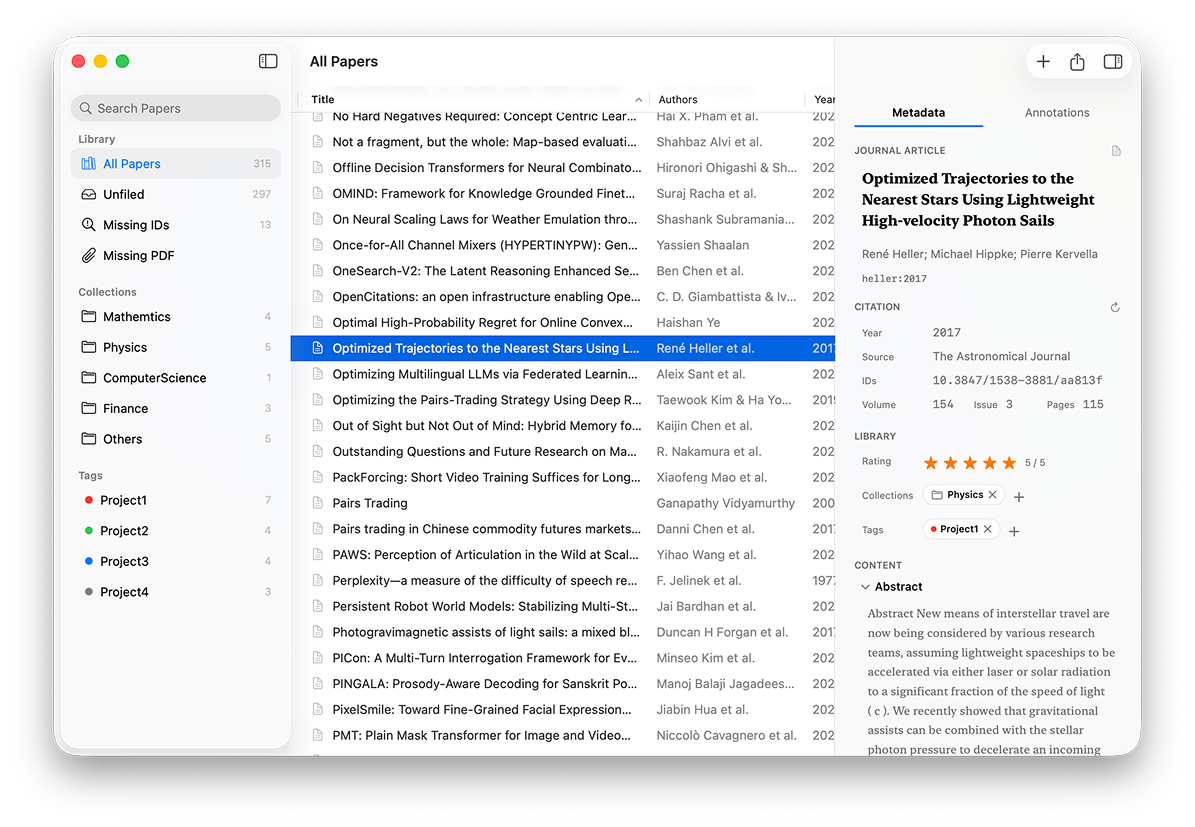
Enter a DOI to fetch a complete metadata record — or import a .bib file from Zotero, Mendeley, or any BibTeX-compatible tool. Lattice pulls title, authors, year, journal, abstract, volume, issue, pages, and generates a citekey.
Multiple metadata services queried in parallel for best coverage
Attach a PDF later — or work purely with the metadata record
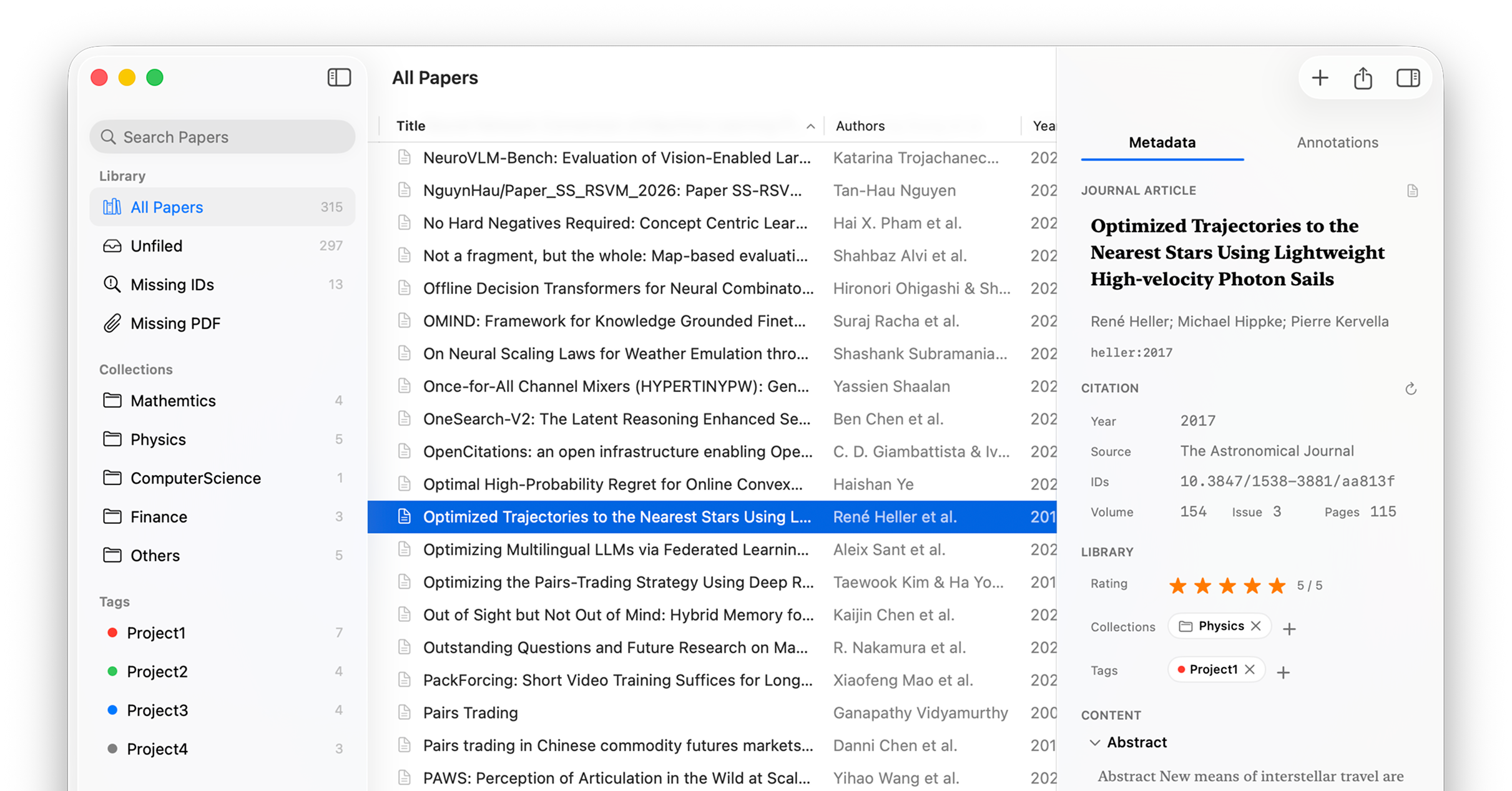
Assign the paper to Collections and Tags, set a star rating, and add your own freeform notes. The inspector gives you full access to every metadata field — all editable inline, all saved locally.
Collections: "Machine Learning", "To Read", "Writing"
Tags with colors: "empirical", "important", "idea"
Ratings, notes, and full metadata editing in one inspector
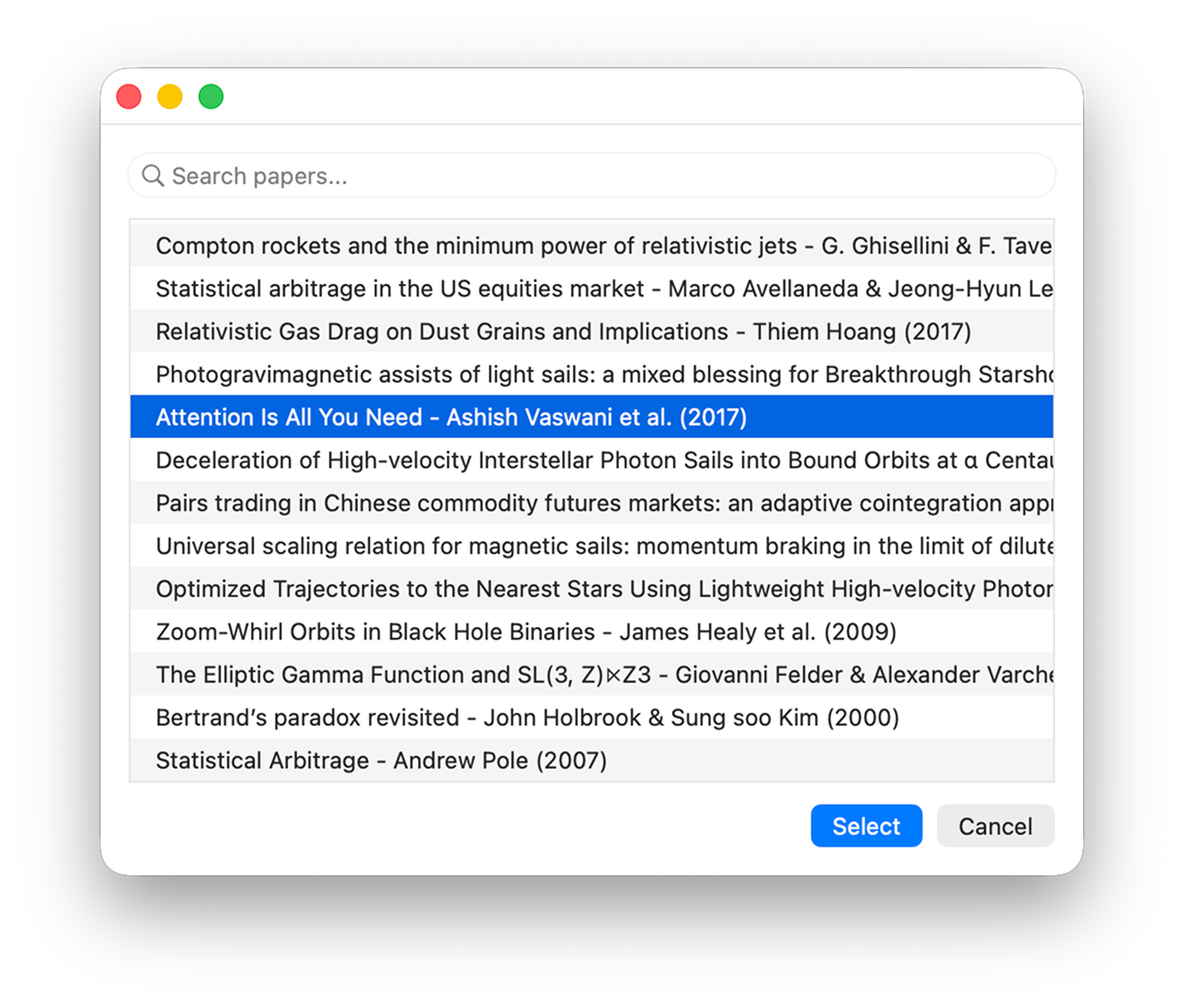
Run your Lattice Shortcut from anywhere on macOS. A picker appears — choose the paper — and Lattice renders a formatted note using your template. The result is returned to the Shortcut for pasting, sharing, or routing into any app.
Assign a global keyboard shortcut to trigger it from any app
Include or exclude annotations with a single toggle
Returns plain text — composable with any other Shortcut action
The formatted note appears in Obsidian, Bear, Notion, Craft, or any app your Shortcut routes to. Lattice is not trying to replace your note-taking setup — it is built to connect your paper library to it, cleanly.
Works with every app that accepts clipboard text or Shortcut output
Your template controls exactly which fields appear and in what format
Your PDF reader, notes app, and writing tool all remain exactly as you chose them. Lattice stays small, stays native, and stays out of the way.
Free on the Mac App Store. Or join the TestFlight beta for early access to upcoming features.